Key takeaways
- A full working day with a laptop, a monitor, the router and a phone takes about 830 Wh from a power station, on our cautious figures.
- That needs a battery of about 1,000 Wh. A station of around 300 Wh gives you two to three hours of the same desk.
- Dropping the monitor and charging the laptop over USB-C stretches any station a long way.
- If the cut covers your area, broadband may stop even with the router powered, so keep your phone charged as a hotspot.
In this article
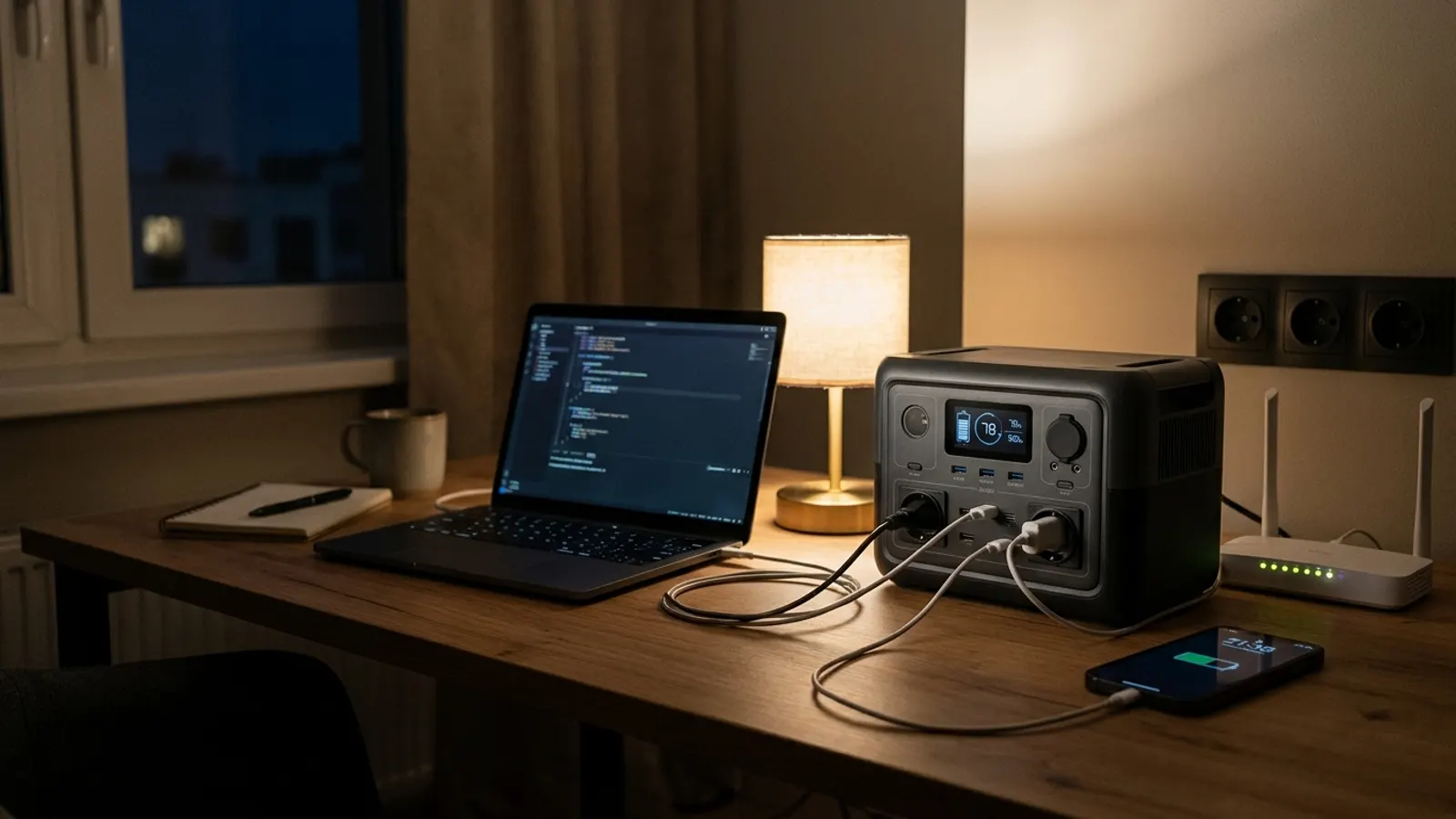
A normal working day at a home desk takes about 830 Wh from a portable power station once you count the laptop, a monitor, the router, a phone and the station itself. So a station of about 1,000 Wh covers one full day. A smaller one of around 300 Wh gets you through a morning’s meetings, not a whole day.
What a home office really uses
We use the site’s average figures, which lean on the cautious side, plus a monitor figure based on a measured example. One working day is 8 hours at the desk.
| Device | Watts | Hours | Wh |
|---|---|---|---|
| Laptop | 60 W | 8 h | 480 Wh |
| Monitor, 24 to 27 inch | 20 W | 8 h | 160 Wh |
| Router | 10 W | 8 h | 80 Wh |
| Phone charging | 10 W | 3 h | 30 Wh |
| The station itself, sockets on | 10 W | 8 h | 80 Wh |
| Total | 830 Wh |
The maths: 480 + 160 + 80 + 30 + 80 = 830 Wh. Since we only get 85% of a battery as usable power, you need 830 ÷ 0.85 ≈ 980 Wh of battery.
Why these numbers
60 W is a laptop working hard or charging. For email and documents many laptops use much less, so look at your charger’s label: that is the most it can draw.
For the monitor, ENERGY STAR measured 10.43 W for a Dell P2425H, a 24-inch office screen. We use 20 W to cover bigger or brighter screens.
The router runs all day, but only the 8 working hours count here. If you keep it on in the evening too, add 10 Wh per extra hour, plus the station’s own 10 W.
How many hours each station gives
Our rule is hours = battery Wh × 0.85 ÷ (device watts + 10 W). The 10 W is what the station uses while its 230 V sockets are on.
Laptop, monitor and router together draw 60 + 20 + 10 = 90 W.
| Station (battery announced by the brand) | Full desk (90 W) | Laptop only (60 W) |
|---|---|---|
| Anker SOLIX C1000 (1,056 Wh) | ≈ 9 h | ≈ 13 h |
| EcoFlow RIVER 2 Pro (768 Wh) | ≈ 6.5 h | ≈ 9 h |
| Jackery Explorer 300 Plus (288 Wh) | ≈ 2.4 h | ≈ 3.5 h |
To redo one: 768 × 0.85 ÷ (90 + 10) = 652.8 ÷ 100 ≈ 6.5 hours.
Put in your own laptop’s watts and hours with the runtime calculator, or see the laptop runtime on the EcoFlow RIVER 2 Pro.
Three ways to make it last
Charge the laptop over USB-C
Many laptops charge over USB-C. If the station’s USB-C port gives enough watts for yours, plug in there and leave the 230 V sockets off. You save the station’s own 10 W, and the battery lasts noticeably longer.
Work on the laptop screen only
The monitor is a fifth of our day. Without it, the full desk drops from 830 Wh to 670 Wh, so a 1 kWh station has a real margin.
Charge, then unplug
A laptop battery is a battery too. Charge it to full from the station, unplug, work until it is low, and charge again. While nothing is plugged in, switch the station’s sockets off.
When the router has power but the internet does not
Your home or your whole area?
If only your home is off, a powered router should keep you online. If the cut covers your street or area, equipment outside your home may also be without power. Your router then has nothing to connect to.
Keep the phone ready as a hotspot
Your phone can share its mobile data with the laptop. That uses more battery than usual, so keep the phone on charge from the station’s USB port while you work.
The government’s Be Ready checklist already suggests a charged power bank. For home workers, the station does the same job, with room for the laptop too.
Your home phone
Digital landlines plug into the broadband router. When the router stops, so does the home phone. Keep your mobile charged for that reason too, and note 105, the power cut number for England, Scotland and Wales.
Choosing a size for your job
Occasional cuts, mostly short
A station of about 300 Wh, like the Jackery Explorer 300 Plus, covers a couple of hours of meetings, or keeps a laptop and phone topped up through the day if you charge and unplug. Compare it with a similar model on Anker SOLIX C300 vs Jackery Explorer 300 Plus.
A full day you cannot miss
You need about 1,000 Wh: the Anker SOLIX C1000 or a model of similar size. The EcoFlow RIVER 2 Pro, at 768 Wh, gives about 653 Wh of usable power. Without the monitor the day takes 670 Wh, so it comes very close, and gets there if your laptop uses less than 60 W.
More than one day
Two days of the full desk take about 1,950 Wh of battery (830 × 2 ÷ 0.85). At that point, look at recharging options or cutting the day down rather than buying an ever bigger box.
In short
- A full working day with laptop, monitor, router and phone takes about 830 Wh, so about 980 Wh of battery.
- A 1 kWh station covers that day; a 300 Wh station gives two to three hours of the full desk.
- USB-C charging and leaving the monitor off make a station last much longer.
- If the whole area is off, broadband may stop anyway, so keep your phone charged as a hotspot.
Sources
Questions
How long will a power station run my laptop?
On our cautious 60 W figure, about 13 hours on a 1,056 Wh station and about 3.5 hours on a 288 Wh one, using the 230 V socket. Many laptops use less than 60 W for office work, so you may get more.
Will my broadband work in a power cut if the router has power?
Sometimes. If only your home is off, yes. If the whole area is off, equipment outside your home may also be down, so test it and have your phone's hotspot ready.
Is it better to charge a laptop from USB-C or the socket?
USB-C, if your laptop supports it and the station's port gives enough watts. The station then does not need its 230 V sockets switched on, which saves around 10 W.
Does my home phone work in a power cut?
If your landline plugs into your broadband router, as digital landlines do, it only works while the router has power. Ask your provider what back-up they offer.
Stations in this article
- 1056 Wh · 1800 W Anker SOLIX C1000 Every device with the Anker SOLIX C10001,056 Wh Check price
- 768 Wh · 800 W EcoFlow RIVER 2 Pro Every device with the EcoFlow RIVER 2 Pro768 Wh Check price
- 288 Wh · 300 W Jackery Explorer 300 Plus Every device with the Jackery Explorer 300 Plus288 Wh Check price
How much battery do you need?
Tick your devices and how long you need to last. The calculator gives you the answer in 30 seconds.
Open the calculator